Most blogs explain Pinterest formats the same way—Image Pins, Video Pins, Idea Pins—and then move on. That’s not wrong, but it’s incomplete. The real reason content performs (or doesn’t) on Pinterest has less to do with the format itself and more to do with what the user is trying to do in that exact moment.
Pinterest is not built like a typical feed. It behaves more like a quiet planning tool where people collect ideas for later. Someone searching for “home office setup” is not just browsing—they are mentally comparing options, deciding what fits, and saving things they might use. That’s a very different mindset compared to someone scrolling a social app out of boredom.
Because of this, every Pin format creates a slightly different experience. And that experience influences whether the user ignores your content, saves it, or clicks deeper.
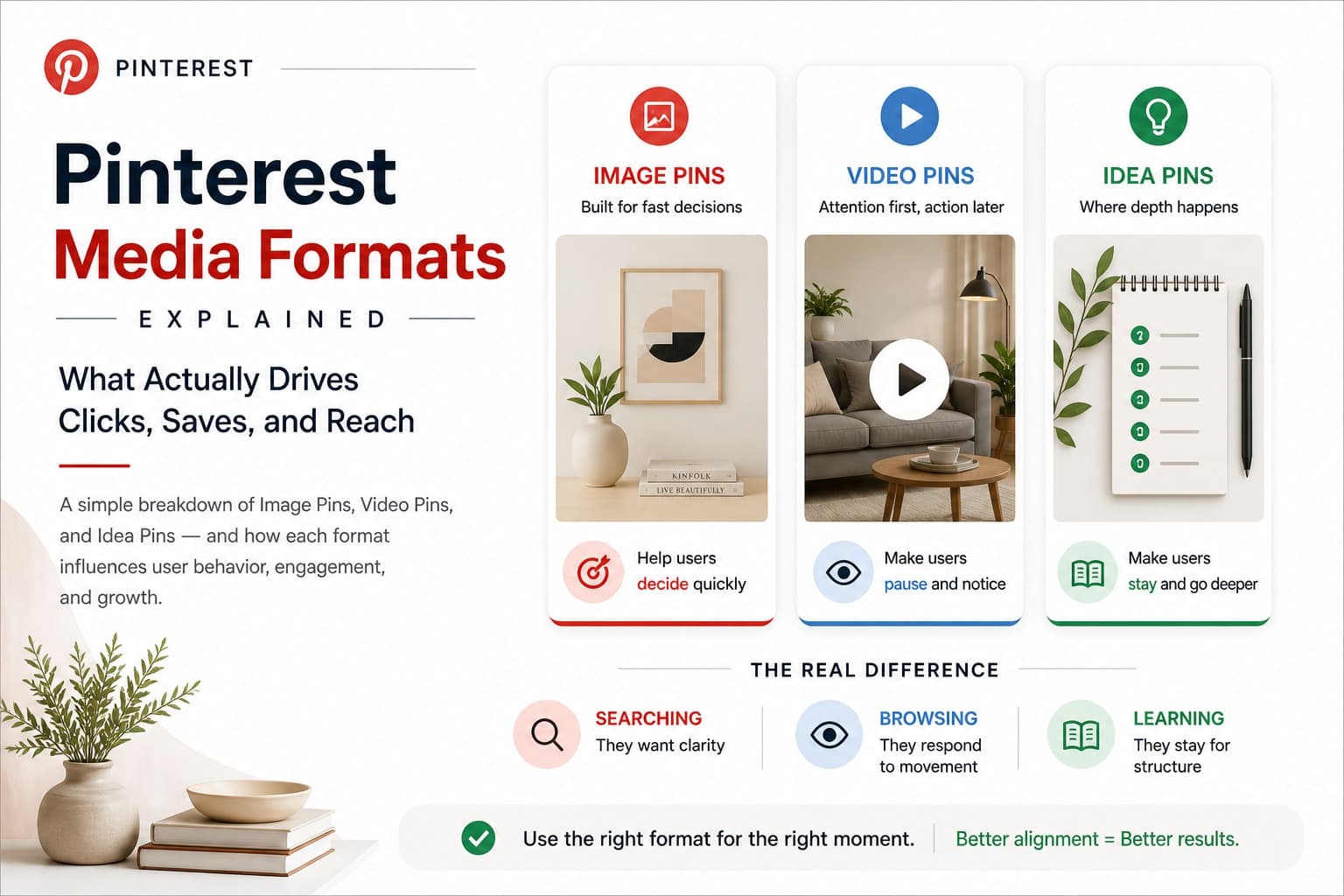
Quick Breakdown (What Each Format Actually Does)
- Image Pins → help users decide quickly
- Video Pins → make users pause and notice
- Idea Pins → make users stay and go deeper
Before going deeper, here’s the simplest way to look at Pinterest media formats:
Understanding these Pinterest media formats is important because each one aligns with a different type of user intent.
Image Pins: Built for Fast Decisions
If you look at Pinterest search results, you’ll notice something obvious—most of the screen is filled with static images. That’s not a coincidence. Image Pins work because they are easy to scan.
A user searching on Pinterest doesn’t want to explore content deeply at first. They want to filter options quickly. This creates a clear rule: the best-performing Image Pins are not the most creative ones, but the ones that are instantly understandable.
For example, a pin that clearly says “Small Bedroom Layout Ideas” with a clean visual will outperform a beautifully designed but vague image. The reason is simple—the first one reduces thinking. The second one adds friction.
This is where many creators go wrong. They try to stand out visually, but in doing so, they make the user work harder to understand the content. On Pinterest, that usually leads to getting skipped.
Another important advantage is longevity. Image Pins behave more like indexed content. If your pin keeps matching search intent, it continues to appear over time. That’s why some pins start performing weeks after being published.
However, Image Pins have a limitation. They are not built to explain things deeply. They act as an entry point—their job is to trigger a click or save, not to deliver the full experience.
Video Pins: Attention First, Action Later
Video Pins change how users interact with content. The moment motion appears, the behavior shifts from scanning to watching.
This gives Video Pins a natural advantage—they capture attention quickly. Even if the user wasn’t actively searching for your content, they might still pause. But attention alone doesn’t guarantee action.
Users watching Video Pins are often in a passive mindset. They observe more than they decide. This is why Video Pins tend to generate higher engagement but lower click-through rates compared to Image Pins.
Another factor that matters more than most people think is the opening. On Pinterest, users don’t commit to watching—they test the video for a second or two. If nothing interesting happens quickly, they scroll away.
A simple clip that immediately shows a result—like a before-and-after—can outperform a polished video that takes time to build up. Speed of clarity matters more than production quality.
Video Pins work best when they compress value. They don’t explain everything—they show just enough to make the idea clear and useful.
Idea Pins: Where the Depth Actually Happens
Idea Pins are Pinterest’s closest version of long-form content, but they work differently from blog posts or videos on other platforms.
They are designed to keep users inside Pinterest, which is why they don’t focus on outbound clicks. At first, this might seem like a limitation, but it’s actually their strength.
When someone goes through multiple slides of an Idea Pin, they are investing time. And time is a strong signal. It tells Pinterest that the content is worth promoting.
Over time, this creates familiarity. Users start recognizing your content style and are more likely to trust and engage with your future Pins. This is how Idea Pins build authority—not directly through clicks, but through repeated interaction.
However, most Idea Pins fail because they lack structure. They feel like random slides instead of a connected flow. Each slide should move the user forward, like a step in a process.
A good Idea Pin doesn’t overload information. It builds understanding gradually.
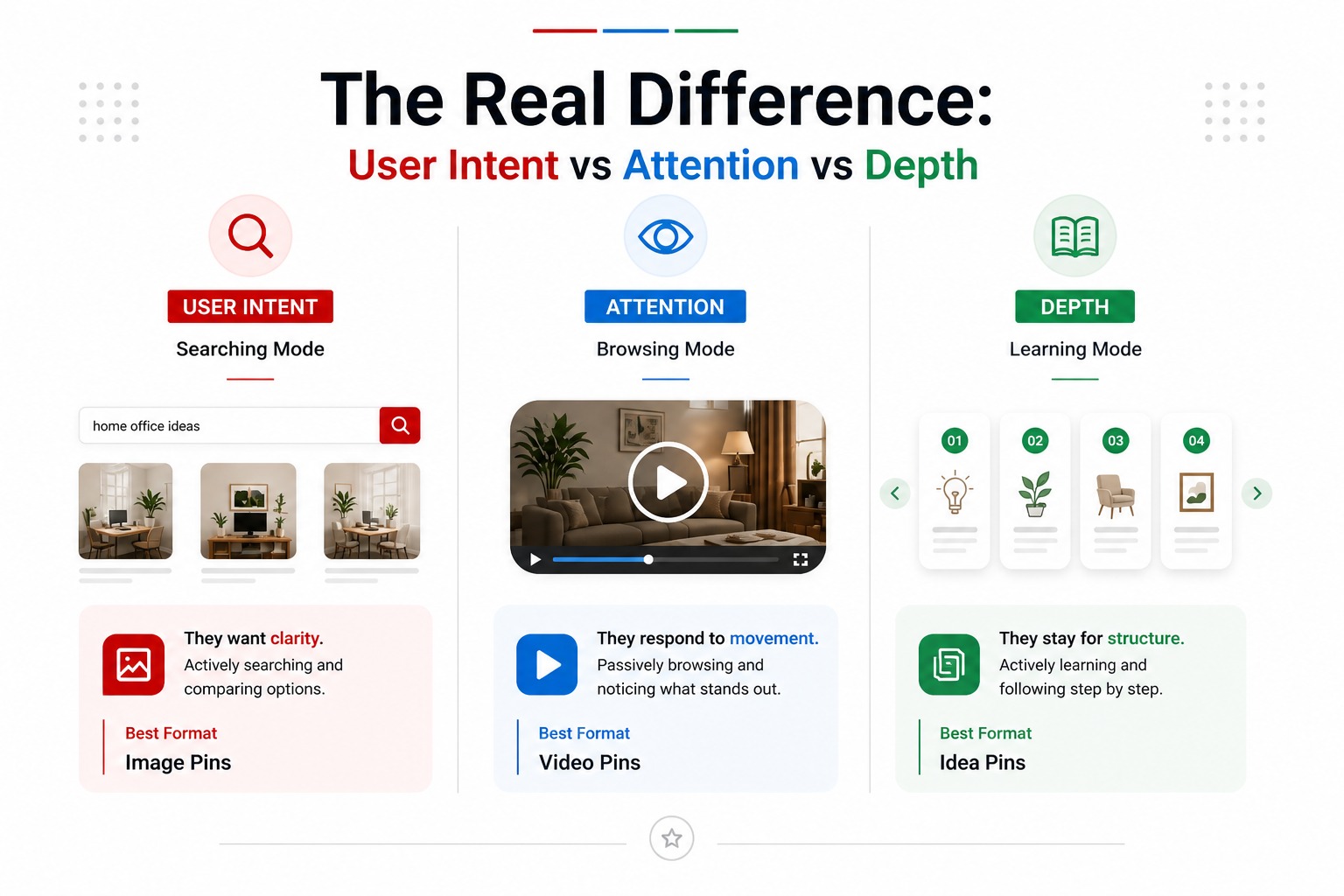
The Real Difference: User Intent vs Attention vs Depth
- When users are searching → they want clarity (Image Pins)
- When users are browsing → they respond to movement (Video Pins)
- When users are learning → they stay for structure (Idea Pins)
Instead of thinking in formats, it’s more useful to think in user states:
This is the simplest way to understand Image Pins vs Video Pins vs Idea Pins. You don’t choose a format randomly—you match it to what the user is trying to do.
- If your idea can be understood in two seconds, it works as an Image Pin.
- If it needs movement to explain, use Video.
- If it needs steps, use an Idea Pin.
**A simple test:**
Why Using Only One Format Limits Growth
Many Pinterest strategies focus on just one format. Some rely only on Image Pins for SEO. Others focus only on Video Pins for reach.
Both approaches can work in the short term, but they don’t scale.
Pinterest traffic comes from different behaviors—search, feed discovery, and deeper engagement. If you rely on a single format, you are only visible in one part of the system.
Using multiple Pinterest media formats helps you reach users at different stages.
A More Practical Way to Use All Three Formats
- Turn the idea into an Image Pin for search visibility
- Show a quick version using a Video Pin
- Break it into steps with an Idea Pin
Instead of creating separate ideas for each format, build around a single concept and adapt it.
This approach increases reach without increasing effort. More importantly, it matches how users naturally move through Pinterest—from discovery to engagement to understanding.
A Small but Important Detail Most People Ignore
Not every Pin needs to drive clicks immediately.
Some Pins attract attention. Some build engagement. Some create familiarity.
When everything is optimized only for clicks, content starts feeling forced. Pinterest works better when content feels useful first, optimized second.
Understanding Pinterest media formats helps you not just create content, but also use tools and strategies more effectively for saving, organizing, and learning from Pins over time.
Final Thought
Pinterest rewards alignment more than effort. You don’t need more content—you need content that fits the moment the user is in.
- Image Pins help users decide.
- Video Pins help users notice.
- Idea Pins help users understand.
Once you start thinking this way, performance becomes less random and more predictable.