When most people try Pinterest for business, they quit too early.
Not because Pinterest doesn’t work — but because they expect instant results. They post a few pins, check analytics for a couple of days, see nothing happening, and move on.
The reality is different.
Pinterest works more like a search engine than a social feed. It rewards relevance, consistency, and clarity. If you understand how people search and what they expect to see, Pinterest can quietly become one of your most reliable traffic sources.
This guide isn’t about theory. It’s about what actually works when you’re trying to grow something — a blog, a tool, or even a small brand.
Pinterest Isn’t Social Media — It’s a Search Engine
This is the first shift you need to make.
On platforms like Instagram, content depends on followers and engagement. On Pinterest, content depends on search intent.
People don’t open Pinterest to scroll randomly. They search:
- small business ideas
- content marketing strategy
- how to grow online traffic
That means your content doesn’t need to go viral. It just needs to match what someone is already looking for.
If your pin solves a problem or answers a question clearly, it has a chance to show up — even if your account is new.
Why Pinterest Traffic Feels Different (And Better)
Let’s say someone searches “how to get traffic to a website.”
If they click your pin and land on your blog, they’re already interested. They didn’t randomly find you — they were looking for that exact thing.
That’s why Pinterest traffic often converts better.
Another advantage is longevity.
A decent pin might start slow, but once it gets indexed, it can keep bringing clicks for weeks or months. Over time, multiple pins start working together, and your traffic becomes more stable.
Setting Up Your Account the Right Way
Before creating content, your profile needs to be clear.
Not fancy — just clear.
If someone visits your profile, they should immediately understand:
- what your content is about
- who it is for
Avoid vague bios. Be specific.
For example: Helping beginners get traffic using Pinterest strategies
It sounds simple, but clarity builds trust — both for users and for the platform.
How to Find What People Are Actually Searching
Most beginners guess. That’s the mistake.
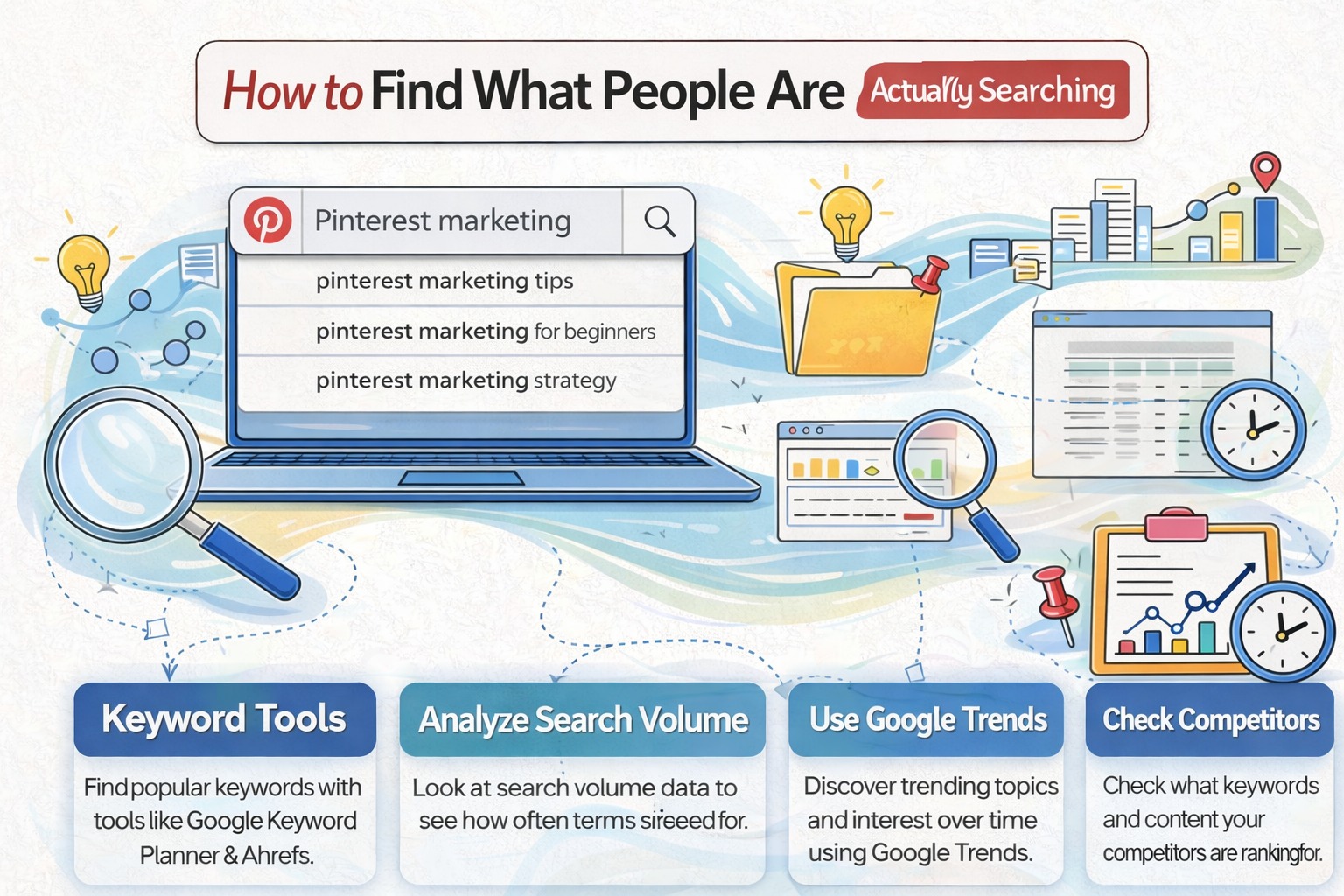
Pinterest already tells you what people are searching — you just have to pay attention.
Start typing a keyword in the search bar and look at the suggestions. These are real queries people use.
For example:
- Pinterest marketing tips
- Pinterest marketing for beginners
- Pinterest marketing strategy
Each of these can become a content idea.
Instead of forcing content, you’re aligning with demand.
Creating Pins That Actually Get Clicks
Design matters, but not in the way most people think.
You don’t need complex graphics. You need clarity.
When someone scrolls, they decide in a second whether your pin is worth clicking.
Ask yourself: Do I understand what I’ll get if I click this?
- Use size: 1000 x 1500 px
- Keep headline short (3–6 words)
- Use bold fonts
- Avoid clutter
Think of your pin as a headline — not a poster.
Writing Descriptions That Help You Rank
Pinterest reads your description to understand your content.
Don’t leave it blank, and don’t stuff keywords unnaturally.
Write naturally. Explain what the user will get after clicking.
It doesn’t have to be perfect — it just needs to make sense.
Turning Pinterest Into a Traffic Source
Every pin should lead somewhere meaningful:
- a blog post
- a guide
- a useful tool
The goal isn’t just clicks — it’s useful clicks.
If you regularly save Pinterest content and want an easier way to manage or access it later, tools like SavePin can help simplify that process.
Consistency: The Part Nobody Likes (But Works)
Pinterest rewards consistency more than intensity.
Posting 3–6 pins daily is enough if you stick with it.
In the beginning, growth feels slow. That’s normal.
- your pins are getting indexed
- Pinterest is learning your content
- your reach gradually expands
After a few weeks, older pins start getting impressions — and that’s where growth begins.
Mistakes That Quietly Kill Growth
- posting without direction
- ignoring keywords
- overcomplicating design
- quitting too early
Pinterest takes time. If you expect instant results, you’ll think it’s not working — even when it is.
Building a System Instead of Chasing Results
Successful creators don’t chase viral posts.
They follow a simple system:
- understand what people search
- create content around it
- stay consistent
No hacks. No shortcuts.
Over time, results start compounding.
Final Thoughts
Pinterest is slow at the start — and that’s exactly why it works.
Most people quit early. Those who stay consistent benefit long-term.
If you focus on solving real problems and stay consistent, Pinterest can become one of your most dependable traffic sources.
Start simple. Improve as you go. And give it enough time to work.